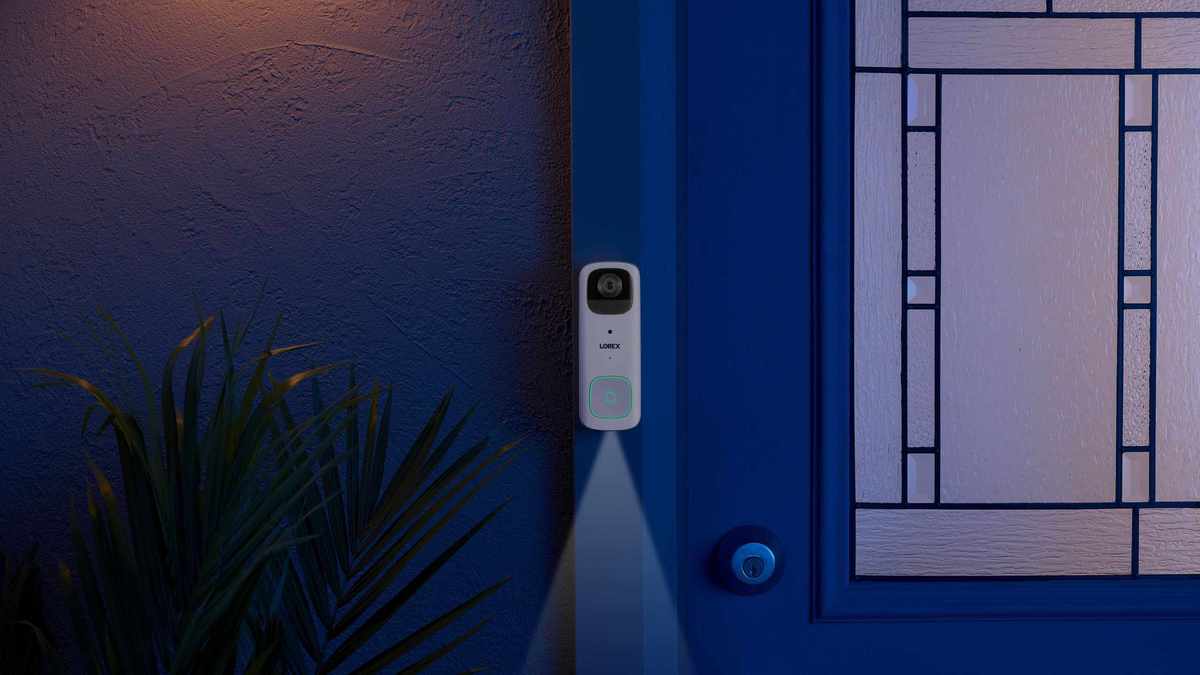
The Lorex 2K Wi-Fi Video Doorbell is both budget-friendly and subscription-free. Although an external chime is sold separately, it integrates seamlessly with Alexa and Google Assistant, alerting you when visitors arrive. The 2K video quality is impressive, especially at night, delivering near full-color images, though its aspect ratio could be improved.
Pros
Clear 2K resolution
Simple installation and operation
Compatible with Alexa and Google Assistant
Operates wirelessly or via hardwiring
No subscription fees
Cons
Chime not included
Some delay during two-way communication
Aspect ratio limits visibility
With its sharp resolution and user-friendly design, the Lorex 2K Wi-Fi Video Doorbell comes highly recommended. After testing various models, it's clear that this doorbell has many advantages, and its drawbacks are relatively minor. For those seeking a solid video doorbell, this model should definitely be on your list.
Quick Overview of the Lorex 2K Wi-Fi Video Doorbell
What sets the Lorex 2K Video Doorbell apart is its lack of a subscription requirement. While some cheaper video doorbells exist, the savings of $10 monthly are significant. With its affordable pricing, ease of installation, and the option for both wireless and hardwired setups, my installation took only five minutes.
Support for voice assistants like Alexa and Google Assistant adds extra convenience, especially since no external chime is included. The 2K resolution makes it easy to identify visitors at night, particularly when using the auto night vision mode.
However, there is a slight lag during communications, and the aspect ratio may limit visibility of guests, which could be a concern in certain neighborhoods.
Specifications of the Lorex 2K Wi-Fi Video Doorbell
Field of view | 124º Horizontal, 164º Diagonal |
Storage | 32GB |
Object recognition | Person detection |
Video resolution | 2K, 1080p, D1 |
Two-way audio? | Yes |
Power | Rechargeable battery or hardwired |
Operating distance | About 13 feet |
Alert type | Motion only |
Voice assistance? | Amazon Alexa, Google Assistant |
Dimensions | 1.25 x 2.2 x 5.75 inches |
Installation and Setup of Lorex 2K Wi-Fi Video Doorbell
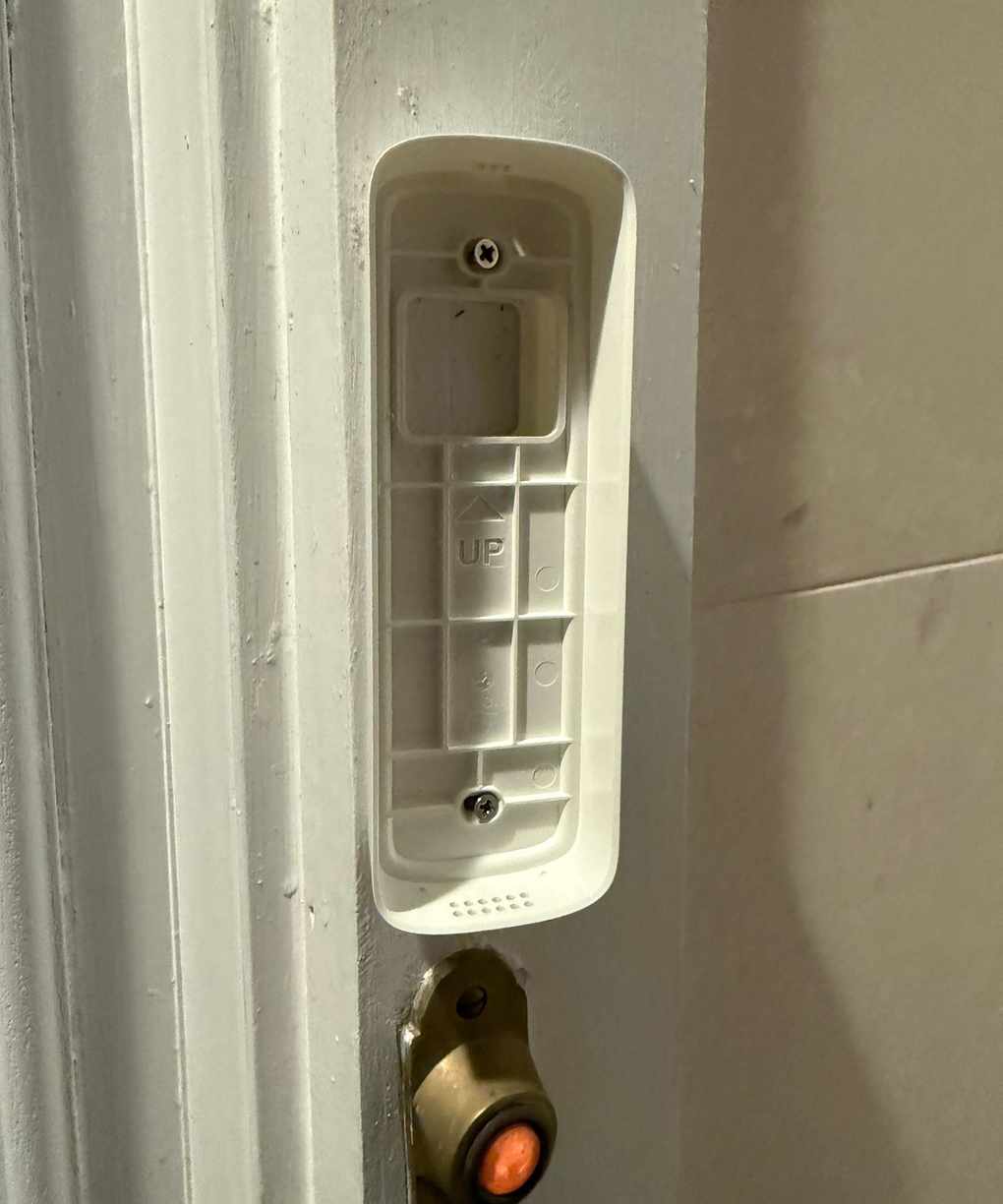
Baseplate of Lorex 2K Wi-Fi Video Doorbell installed on doorframe.
Installing the Lorex 2K Wi-Fi Video Doorbell is straightforward, especially using the wireless option. Basic DIY tools are needed, primarily a Phillips screwdriver. Depending on your installation surface, you may also require a drill and a hammer.
First, charge the doorbell with the provided USB cable. Using the included angled plates, I mounted the doorbell to ensure it faced the entrance, securing it with screws provided by Lorex.
If you're installing on drywall or other non-wood surfaces, screw anchors are included to assist with installation. Once the base plate is attached, simply push the fully charged doorbell into place until it clicks. A pin is provided to help detach it later if necessary.
For wired installation, connect two leads from an existing doorbell to the video doorbell's terminals. Extension wires and caps are included if the leads require lengthening.
The software setup is similarly easy, depending on your Wi-Fi strength. If your connection is weak, it may complicate the process. After connecting to the doorbell like a hotspot, follow the app instructions to complete setup, which typically takes under five minutes.
Video Quality of Lorex 2K Wi-Fi Video Doorbell
Testing the Lorex 2K Wi-Fi Video Doorbell for two weeks provided valuable insights.
Daytime: The 2560 × 1920p resolution ensures clarity, allowing me to clearly see features and details of individuals within range. However, the 4:3 aspect ratio restricts the view, limiting visibility compared to models with taller frames.
Nighttime: The camera defaults to a monochrome image, but the 2K resolution maintains clarity even in the dark. Enabling the Auto Night Vision allows for vibrant color viewing at night, which is a unique feature.
Dynamic Light: During dusk, the camera adjusts, resulting in a brief delay in clarity. However, once focused, the image remains clear.
Audio Quality of Lorex 2K Wi-Fi Video Doorbell
Audio quality is decent but not exceptional. Conversations may sound slightly compressed, reminiscent of older phone calls. Nevertheless, communication remains clear on both ends.
The doorbell's chime is loud and distinct, but it only sounds at the door. To hear it elsewhere in the house, an additional chime must be purchased. The siren is effective for security but not overly loud.
App and Smart Features for Lorex 2K Wi-Fi Video Doorbell
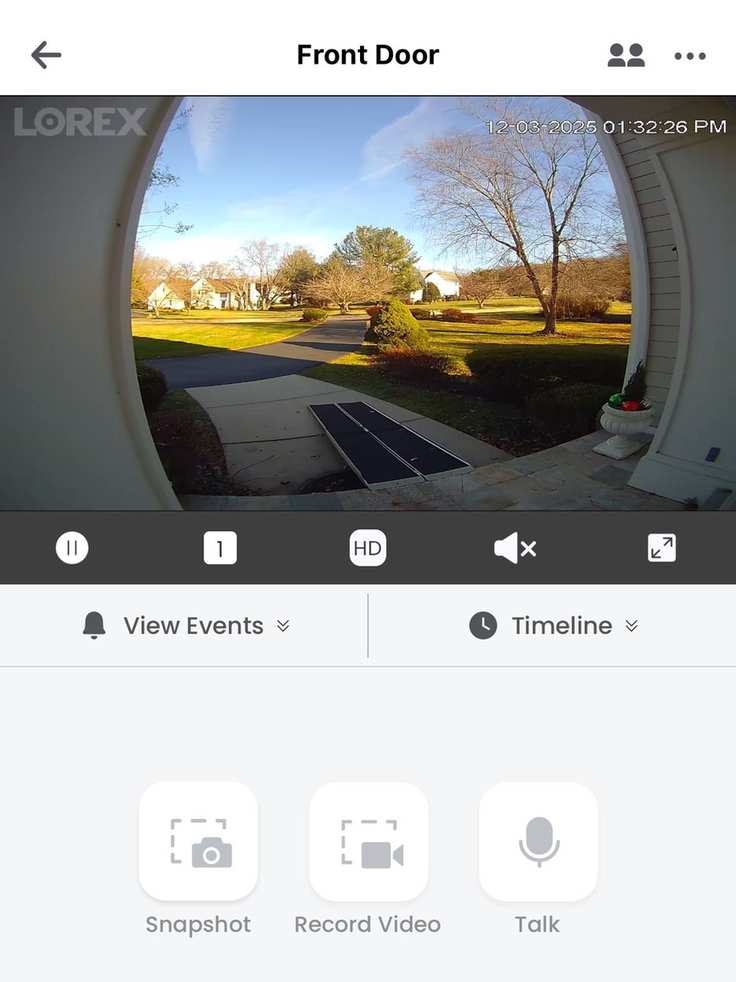
Homepage of the Lorex Classic App during live preview.
The app interface is user-friendly. Upon opening, it displays the doorbell's designated location, with options for privacy mode and settings. Interacting with the doorbell through the app is simple, offering live previews, recorded events, and various camera controls.
Users can customize motion detection areas, enable HDR, and utilize third-party chimes. Integration with Alexa and Google Assistant is straightforward, though Alexa notifications are limited to alerts when the doorbell is rung.
Motion Detection and Notifications of Lorex 2K Wi-Fi Video Doorbell
After installation, the motion detection feature quickly proved responsive, detecting movement within 13 feet. It accurately registered activity without alarming for passing cars or animals.
However, notifications can take up to eight seconds after detecting motion, while doorbell presses trigger alerts almost instantly. This delay also affects two-way communication.
Power and Battery Life of Lorex 2K Wi-Fi Video Doorbell
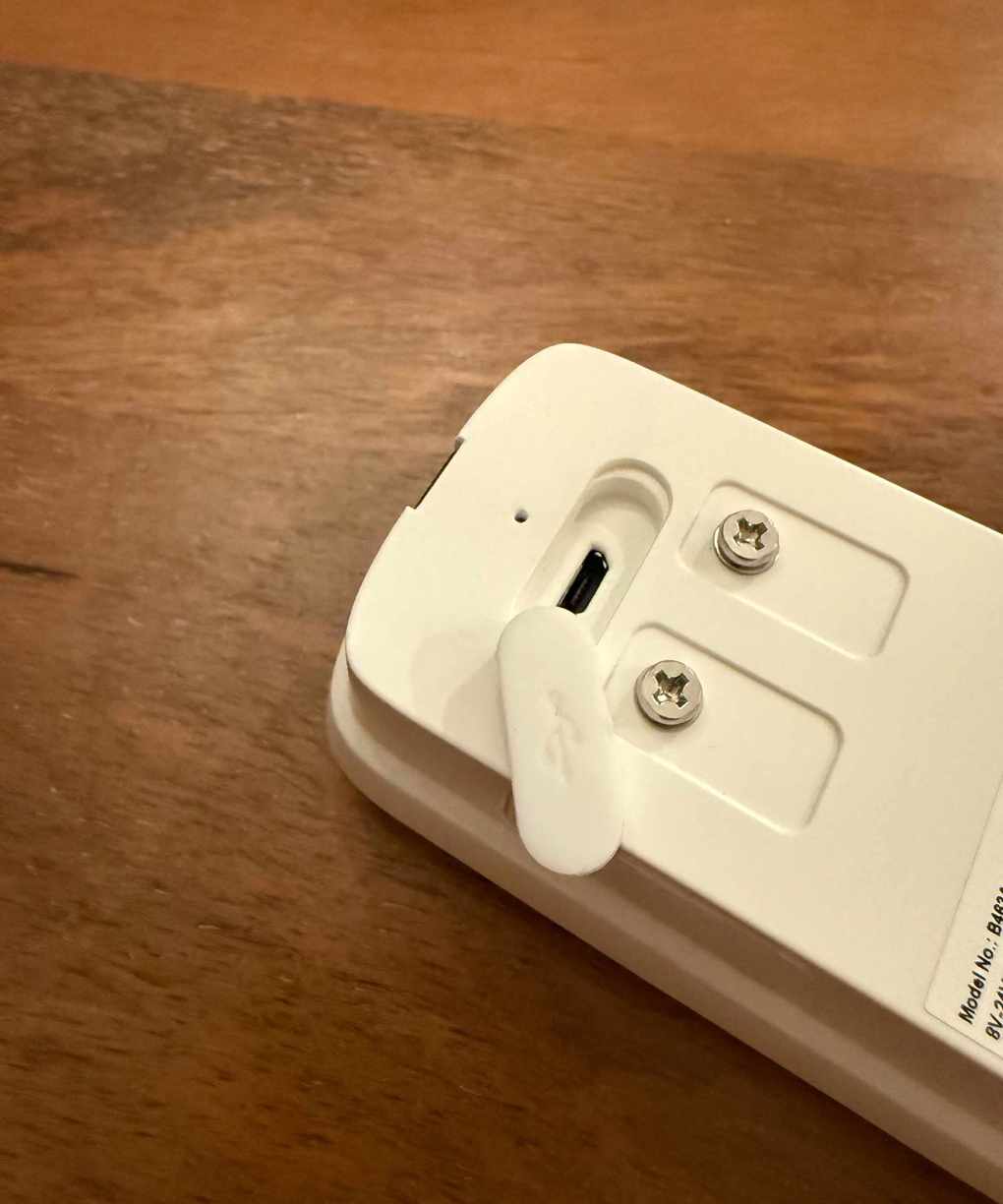
Charging port and terminals for hardwired setup on the Lorex 2K Wi-Fi Video Doorbell.
The Lorex 2K Video Doorbell can be powered via USB or connected to a hardwired system. Hardwiring eliminates the need for recharging.
Battery life is event-based, with the 6200mAh battery capable of recording up to 600 events on a single charge. Users can select performance or power-saving modes through the app, impacting video quality and recording duration.
In performance mode, I tested it for a week, maintaining 86% battery life, suggesting monthly charging is necessary. Charging takes approximately three hours with no fast-charging option.
Connectivity and Reliability of Lorex 2K Wi-Fi Video Doorbell
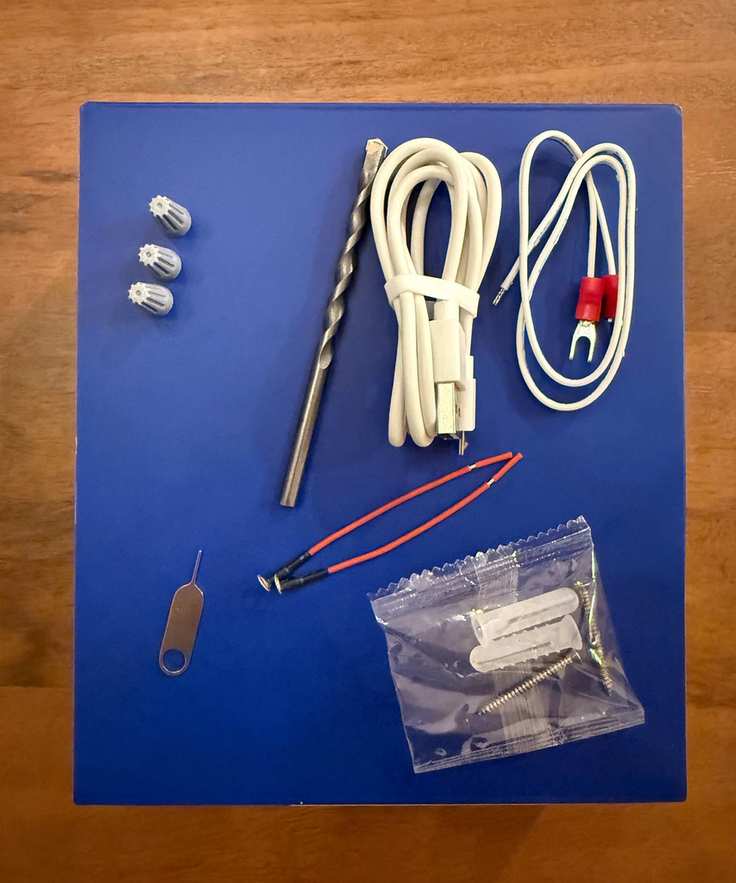
Included extras for the Lorex 2K Wi-Fi Video Doorbell installation.
The app's performance relies on Wi-Fi strength. A strong connection allows for seamless live view access and interaction with recorded events. The doorbell's build quality feels solid, and its IP65 rating ensures durability against various weather conditions.
When secured to the baseplate, it remains firmly in place until released with the provided pin.
Privacy and Security of Lorex 2K Wi-Fi Video Doorbell
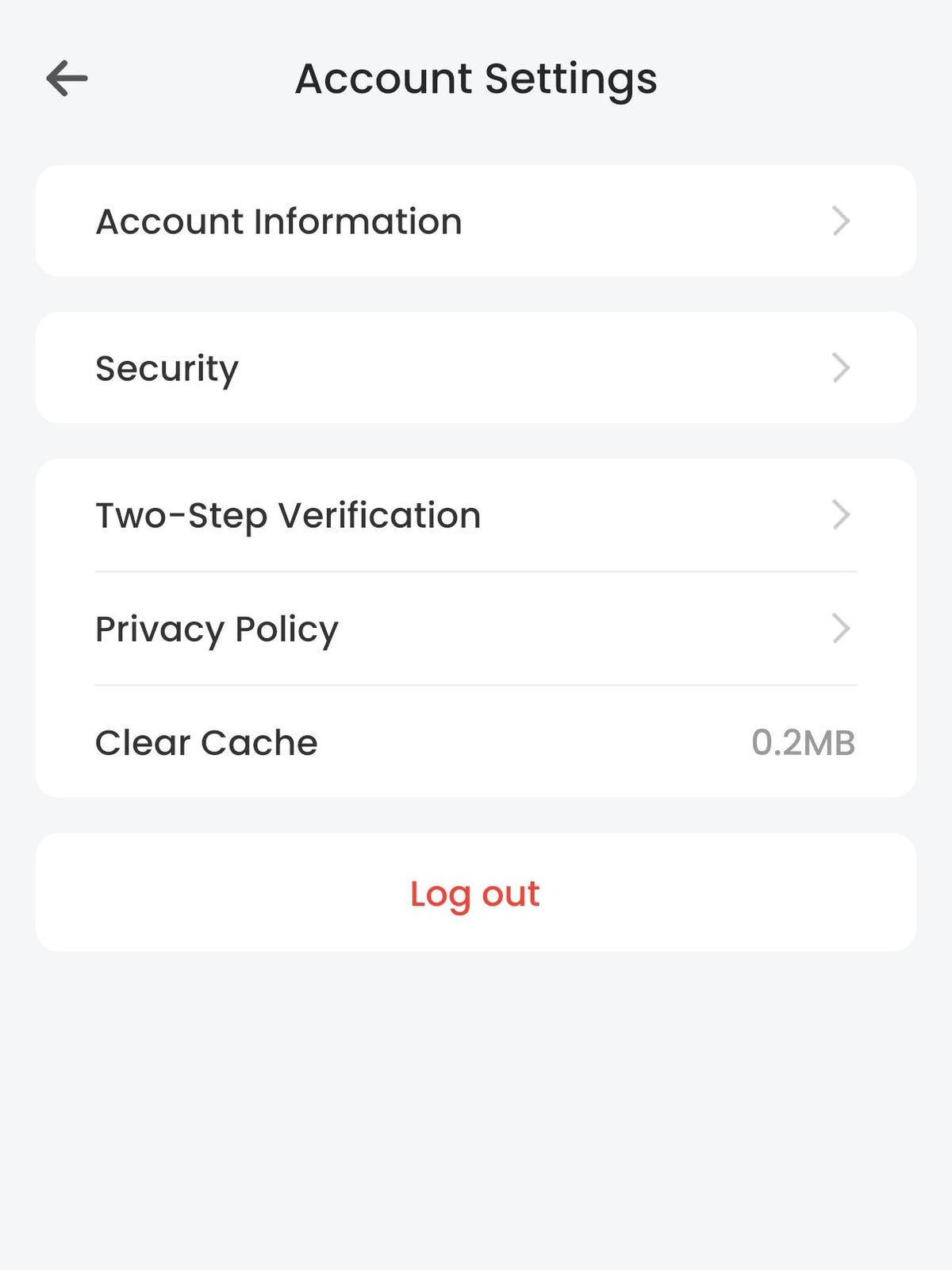
Privacy options available in the app's account settings.
The Lorex 2K Video Doorbell offers reassuring privacy features, including a visible privacy mode that pauses video recording. The use of a microSD card for storage eliminates ongoing subscription costs and enhances data security.
Additionally, the doorbell is designed to resist theft, with a secure baseplate and hidden reset button. App security features include password protection, Face ID, and two-factor authentication.
Pricing and Value of Lorex 2K Wi-Fi Video Doorbell
At around $129.99, the Lorex 2K Wi-Fi Video Doorbell offers excellent value without subscription fees, which typically range from $5 to $20 monthly. It's frequently discounted on various platforms, making it a competitive choice for those considering a subscription-free video doorbell.
While alternatives like the Arlo 2K Video Doorbell require a subscription, others like the eufy 340 video doorbell offer subscription-free options at similar prices. Overall, if you find the Lorex 2K Video Doorbell at a discount, you'll be making a smart purchase.